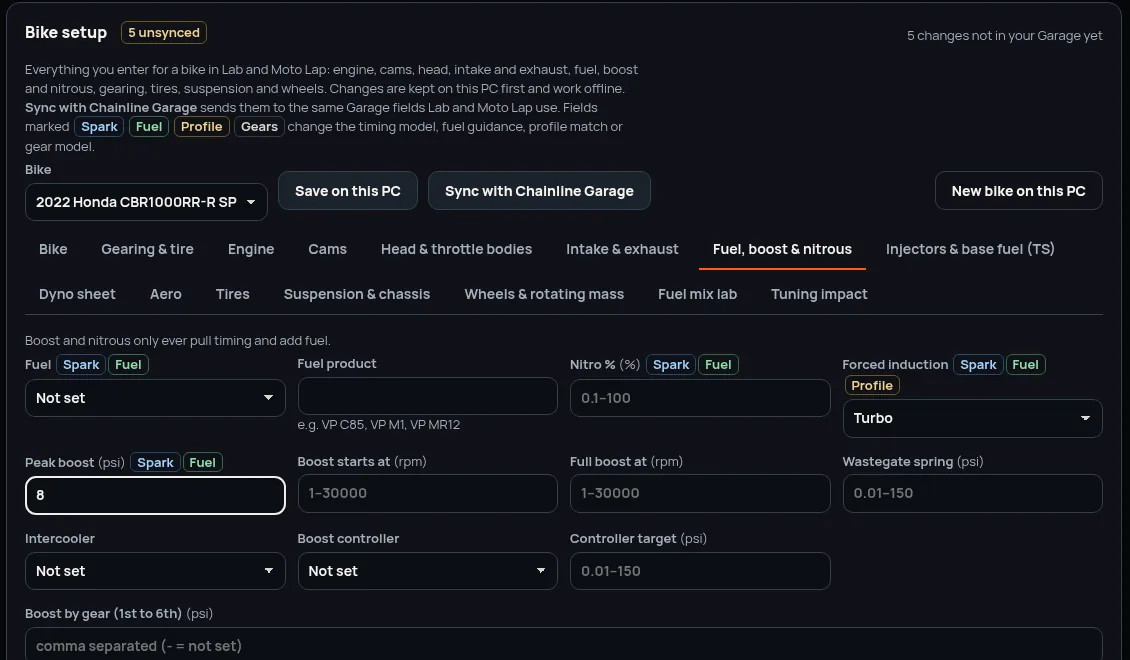
Bike setup
Every Moto Lab garage field, tab by tab. Fields tagged Spark, Fuel, Profile or Gears feed the timing model, fuel guidance and profile match.

Chainline Tune Studio · for Windows
Paste a table out of Woolich Racing Tuned, import your ride logs, and Tune Studio suggests fuel and ignition changes cell by cell. You approve each one, copy the table back, and load the tune with Woolich’s own software.
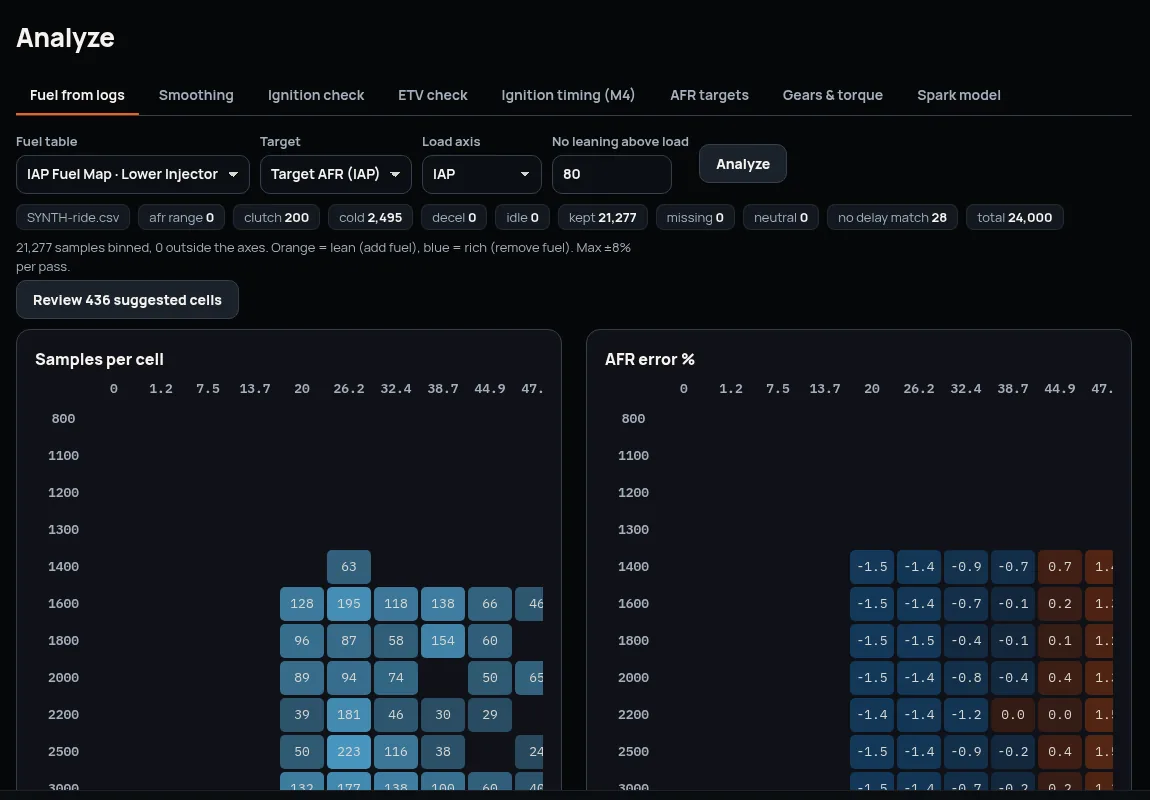
From your Chainline Garage, or set up a new one.
Ctrl+A, Ctrl+C on a WRT table, then Paste from WRT.
Woolich Log Box .wrl, XML or CSV exports.
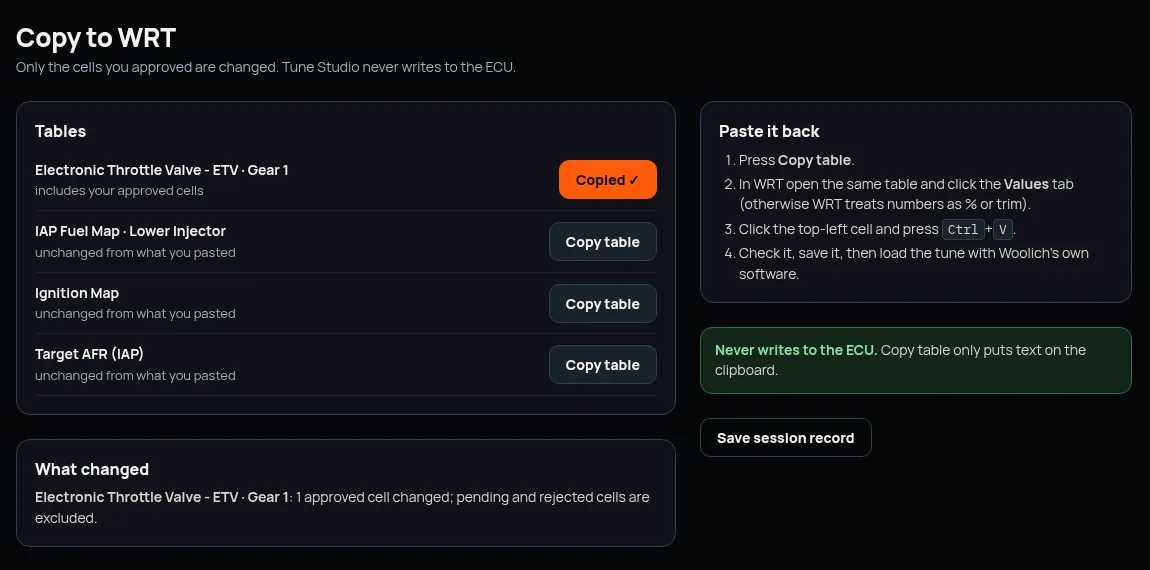
Approve cell by cell, then paste on WRT’s Values tab.
Features
Tune Studio does the busywork around Woolich: checking tables, reading logs, and explaining every number. You stay in charge of every change.
Copy any supported table straight out of WRT and paste it in. Tune Studio checks its shape against your bike’s profile, refuses tables that don’t match, and handles big pastes, drag-and-drop files and log imports without freezing.
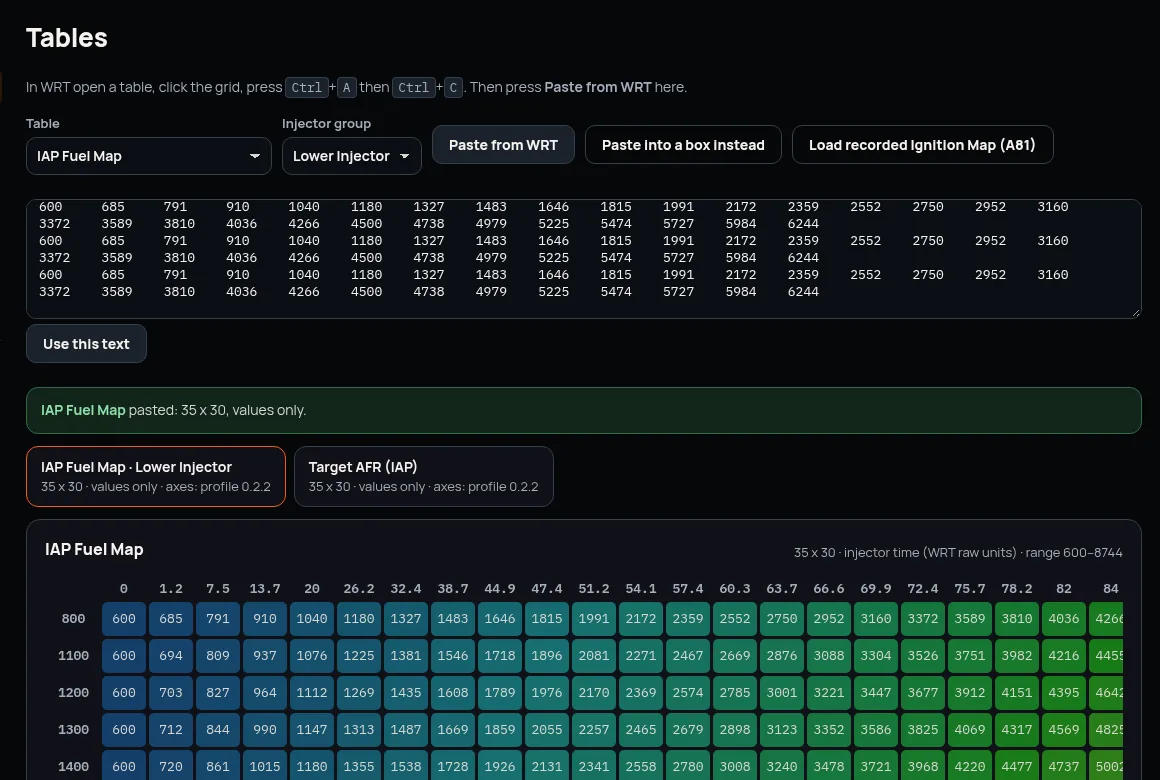
Import a ride and Tune Studio bins every sample against the map, filters out decel, clutch-in and cold data, and shows AFR error and a suggested change for each cell, with smoothing, ignition sync and ETV checks.
Custom bike garage
Enter everything you can in the Moto Lab garage: cams, head and throttle bodies, intake and exhaust, fuel, boost and nitrous, injectors, gearing, tires, suspension and more. Save it on your PC or sync it to your Chainline Garage so Moto Lab and Motolap see the same bike.
Every Moto Lab garage field, tab by tab. Fields tagged Spark, Fuel, Profile or Gears feed the timing model, fuel guidance and profile match.
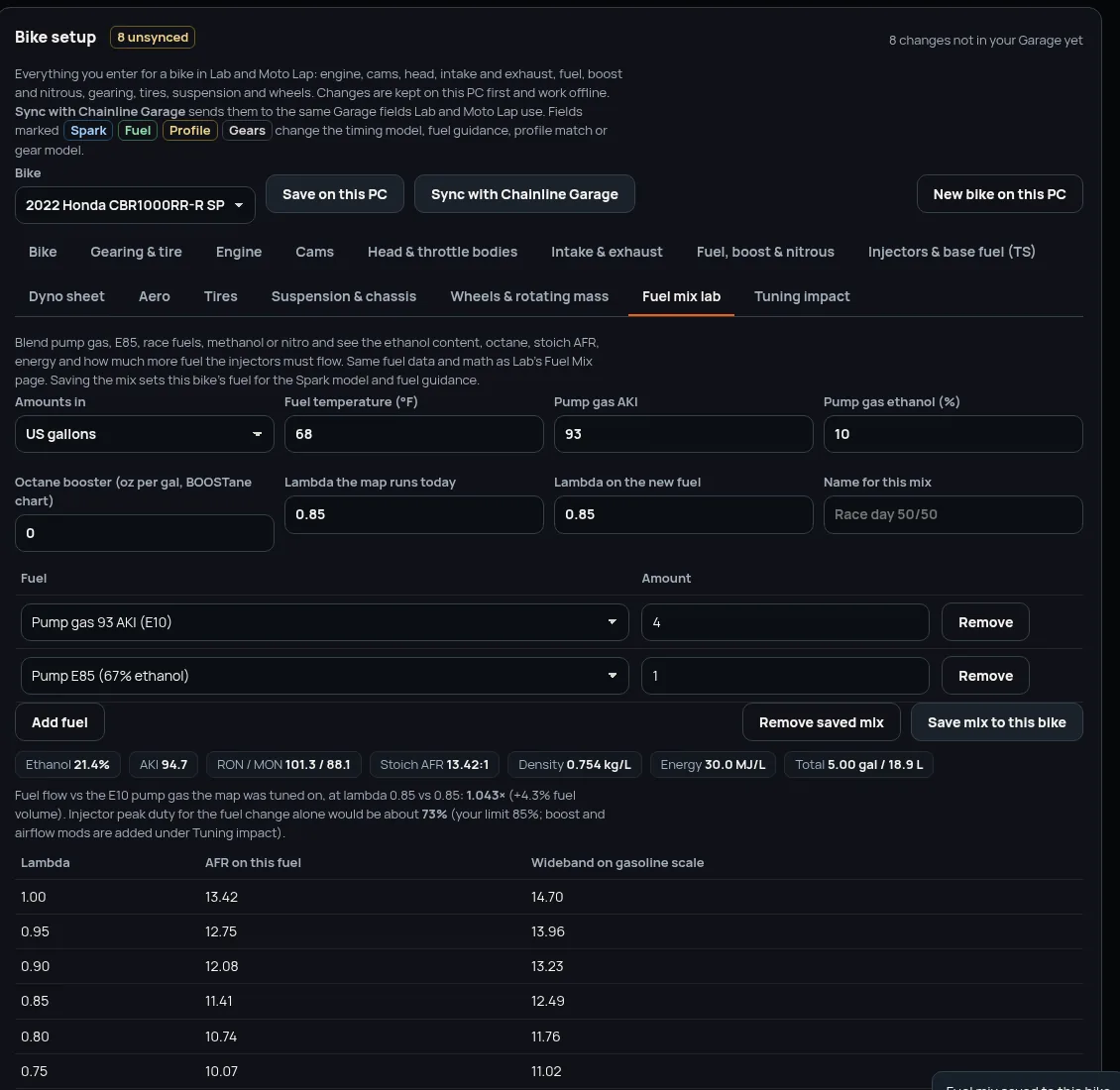
Blend pump gas, E85, race fuel or methanol and see ethanol content, octane, stoich AFR and energy. Save the mix to the bike and the targets follow.
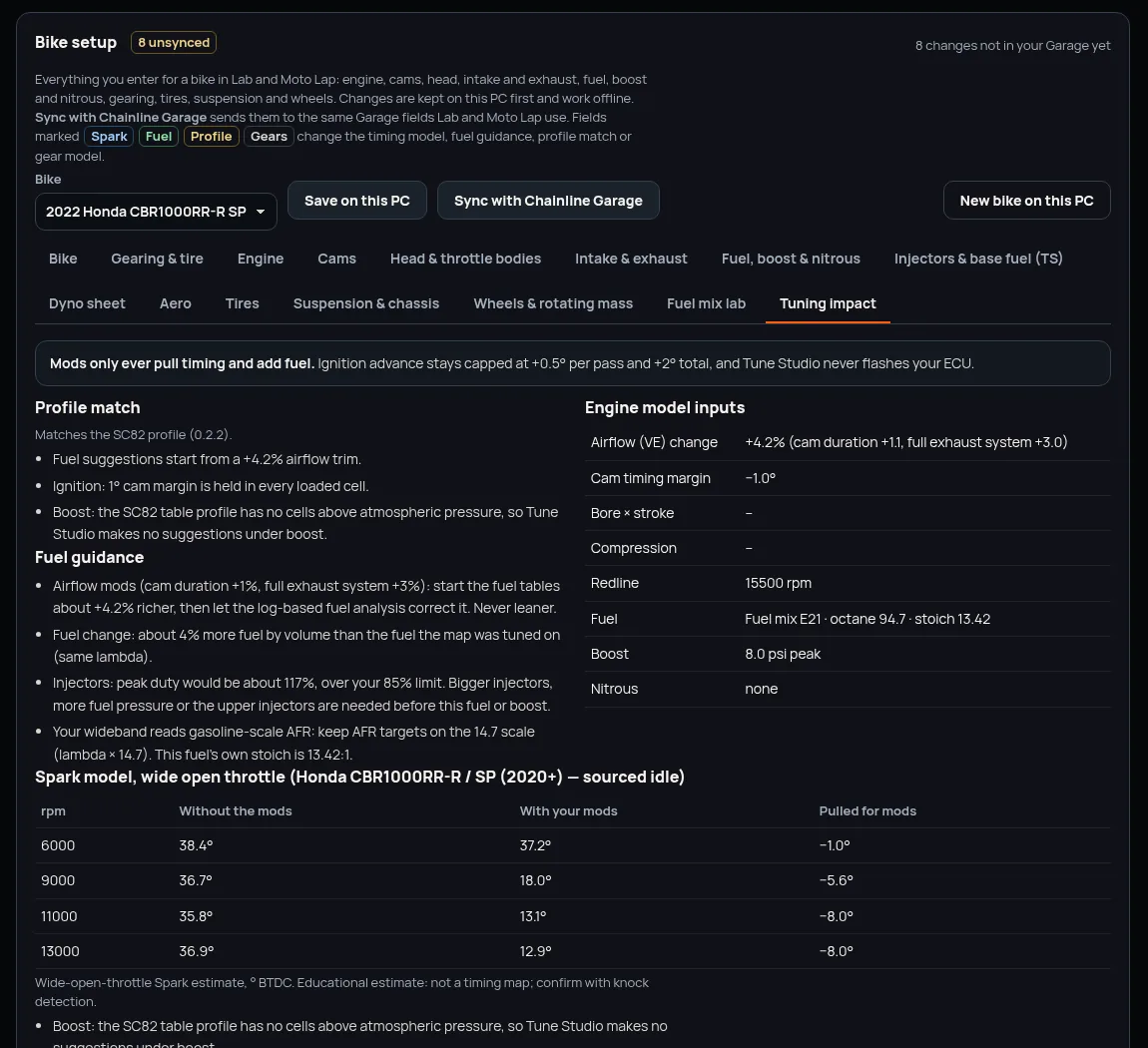
See what your mods mean before you ride: airflow change, cam timing margin, fuel guidance and the Spark model’s timing at wide open throttle.
First table profile: Honda CBR1000RR-R / SP (SC82). You can set up any bike in the garage; table suggestions need a matching profile, and more profiles are on the way.
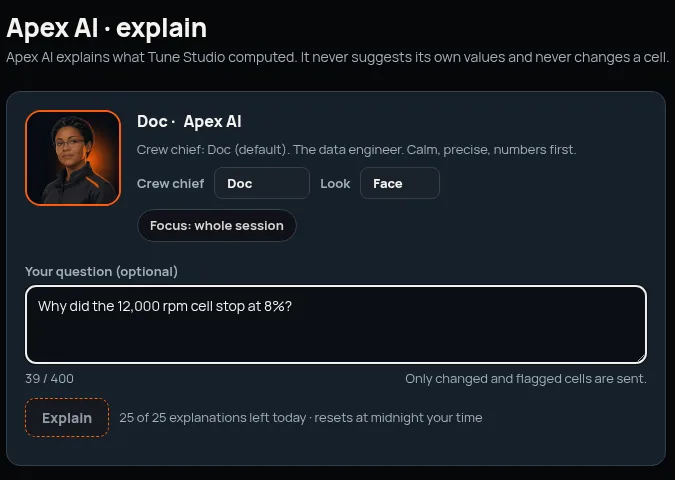
Apex AI · Explain
Apex AI explains what Tune Studio worked out on your PC: why a cell moved, why another stopped, what a log is telling you. It never invents its own values and never changes a cell.
One Chainline account
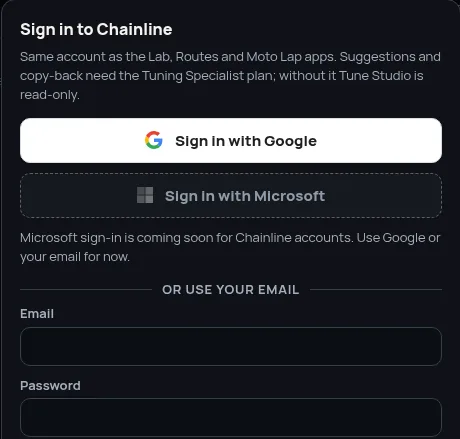
Use the same account as Moto Lab, Routes, Community and Motolap. Sign in with Google in your browser or with your Chainline email. A Google sign-in links to your existing account when the email matches, so your plans come with you.
Google sign-in is in version 0.1.3 and later. Microsoft sign-in is coming soon. Tables and logs work without signing in.
Safety caps
Tune Studio never reads or writes bin or .wrb files and never touches WRT. It only puts text on your clipboard. You load the tune with Woolich’s own software.
Approve, reject or undo each suggested change. Pending and rejected cells are left out of the copy.
Timing advance is capped at +0.5° per pass and +2° total, needs a current Spark Lab result for the bike, and is never suggested in or next to a knocked cell. Current release builds suggest retard only.
Boost, nitrous and cam changes push guidance toward more fuel and less timing, never the other way.
Closed-course competition use only. Tuning changes can damage an engine. Check every change and log again after each pass.
Pricing
Tune Studio opens tables and logs for free. Suggestions, copy-back and Apex AI Explain need Tuning Specialist, billed through your Chainline account.
$0
$29.99 / month
$39.99 / month
Already have Crew Chief ($9.99/month)? Add Tuning Specialist to unlock Tune Studio; your Crew Chief adds the detailed explanations. Prices in US dollars.
Download
Windows 10 or 11, 64-bit. Woolich Racing Tuned and a Woolich-licensed bike are needed to load tunes.
Released November 27, 2026. File: ChainlineTuneStudio_0.1.3_x64-setup.exe
This early release isn’t code-signed yet, so Windows SmartScreen may warn you. Choose More info, then Run anyway. To check the file, run this in PowerShell and compare:
Get-FileHash .\ChainlineTuneStudio_0.1.3_x64-setup.exe -Algorithm SHA256SHA-256a96391ed1f672d0fb4540eddb6c43f805db1589e32b688763c4e4c420a436142
FAQ
No. It never reads or writes bins, never connects to your ECU and never touches WRT. You copy tables in and out of WRT and load the tune with Woolich’s software.
Yes. Tune Studio works with tables you copy from WRT and logs from a Woolich Log Box. You need WRT and a Woolich-licensed bike to load a tune.
The first table profile is the Honda CBR1000RR-R / SP (SC82). You can set up any bike in the garage; suggestions need a matching table profile, and more are coming.
Tuning Specialist unlocks Tune Studio: suggestions, copy-back and Apex AI Explain with data-focused answers. Crew Chief is mainly for Moto Lab, Routes and Motolap; with both, Tune Studio’s explanations come at the detailed crew chief level. Crew Chief alone doesn’t unlock Tune Studio.
Yes. Tables and logs work without signing in or a connection. Garage sync, suggestions and Apex AI need your Chainline account.
Not yet. Tune Studio is Windows only, like WRT.
Microsoft sign-in is coming soon. Use Google or your Chainline email for now.
Early releases aren’t code-signed yet. Check the SHA-256 above, then choose More info and Run anyway.